![LogoInfluencity_Negative.png]](https://knowledge.influencity.com/hs-fs/hubfs/LogoInfluencity_Negative.png?height=40&name=LogoInfluencity_Negative.png)
Brand Safety helps you quickly understand whether an influencer is a good fit for your brand by analyzing what the creator posts and how their audience reacts. Instead of manually scrolling through feeds and comments, you get structured insights you can use to make partnership decisions faster.
This guide explains how to activate and use Brand Safety in Influencity, plus what the results mean for Instagram, TikTok, and YouTube.
What Brand Safety Analyzes
Brand Safety is built around two layers of analysis:
1) Influencer Content (What the creator writes)
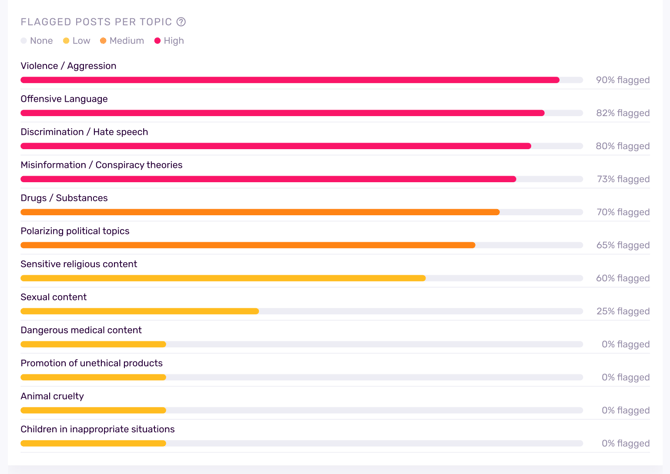
We analyze the text the influencer publishes (captions/descriptions) to detect:
- Topics the creator regularly discusses
- Potentially sensitive themes (e.g., politics, controversial issues, conspiracy-related content, etc.)
- Why specific posts may be flagged (and the level of risk)
2) Audience Sentiment (How people respond)
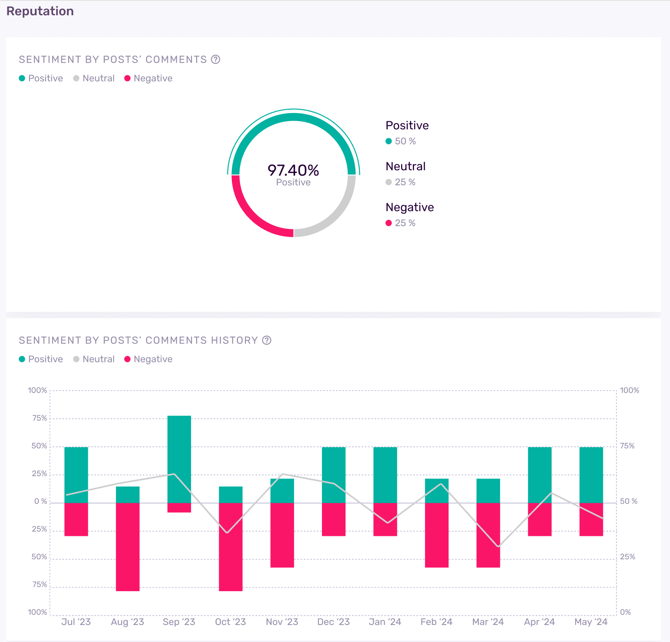
We analyze the comments on the creator’s posts to understand if the audience reaction is:
- Positive
- Neutral
- Negative
This helps you assess the influencer’s “reputation trend” based on real audience behavior.
Step-by-Step: How to Run Brand Safety on a Profile
- Add the influencer profile to your workspace (IRM / profiles)
- Open the Profile Detail
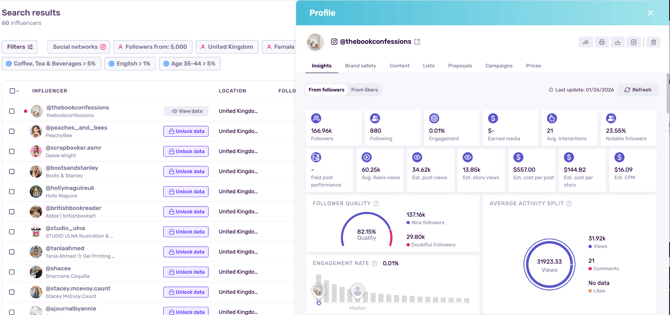
- Click the Brand Safety tab
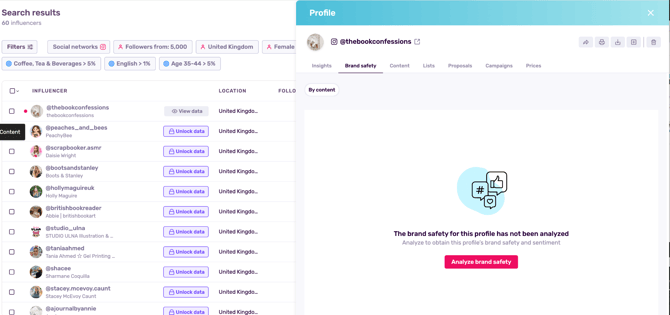
- Click Analyze Profile
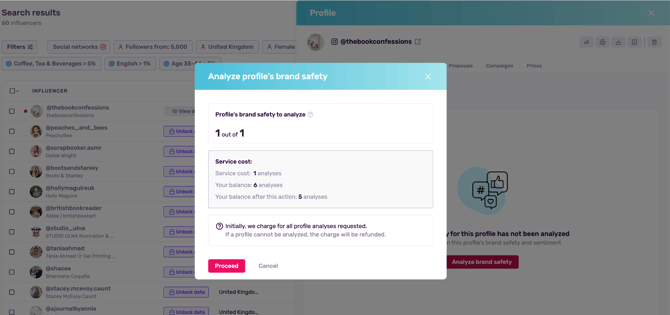
Once you start the analysis:
- 1 token will be used
- You’ll see an “empty/loading state” while results process
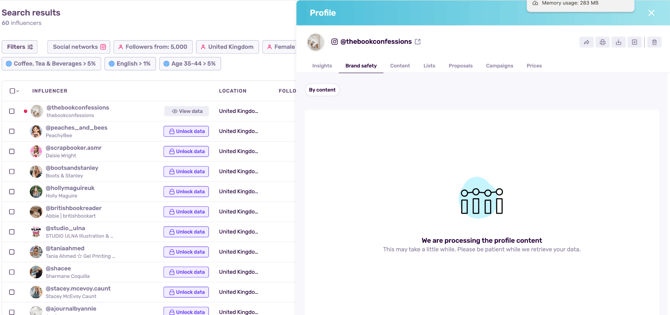
- When the analysis is ready, the results appear automatically, no need to refresh the page
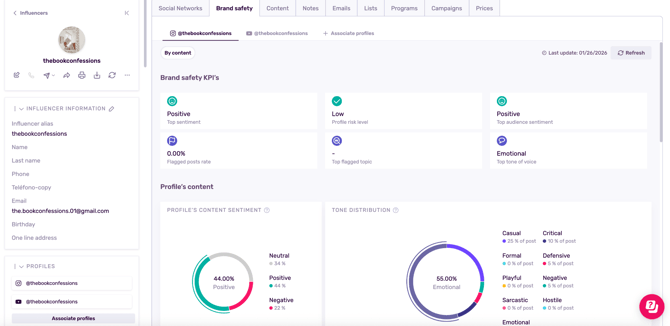
Note: Once you decide to analyze a profile’s brand safety, you’ll be shown other associated profiles from other socials within the tab.
How to Refresh Brand Safety Results
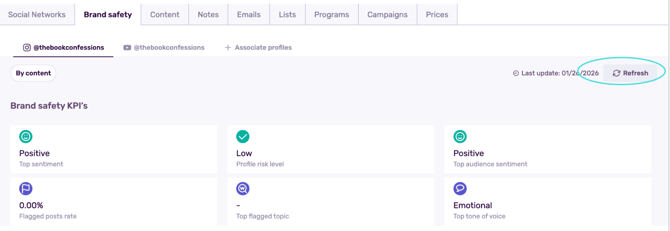
Brand Safety is not updated automatically, if you want the latest analysis, you refresh it.
- Open the influencer’s Profile Detail
- Go to the Brand Safety tab
- Click Refresh
Where to Find Brand Safety (All Access Points)
You can access Brand Safety from:
- Profile Detail → Brand Safety tab
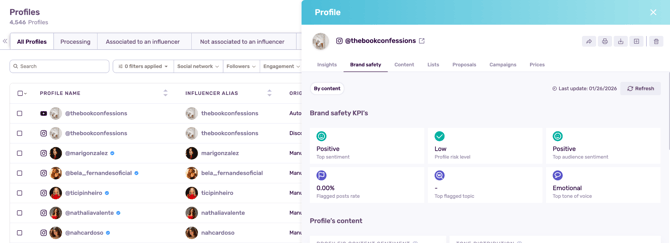
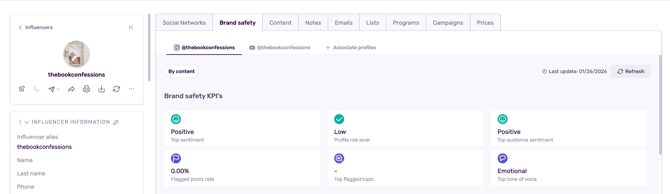
- Influencer Detail → Brand Safety tab
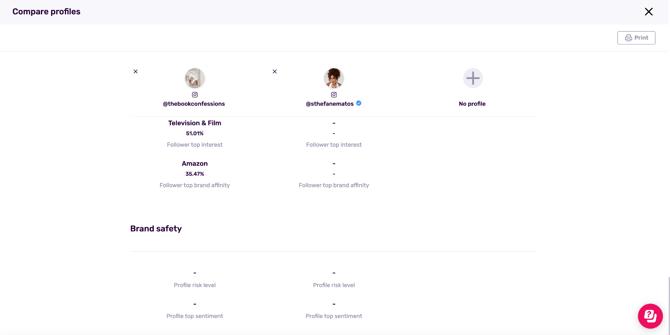
Note: In the comparison view you will also see a Brand Safety row at the bottom to help you filter and compare risk levels and profile top sentiment.
Note: There will be new columns/filters in the profiles list view.
Understanding Your Brand Safety Dashboard
Your Brand Safety results are typically organized into:
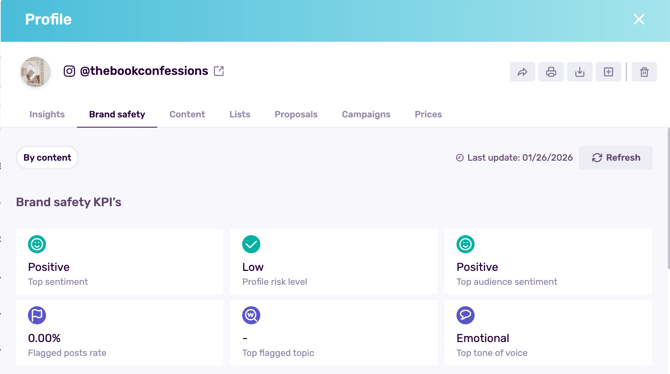
A) Summary KPIs
Quick indicators so you don’t need to “dig” to understand the profile’s risk signals at a glance.
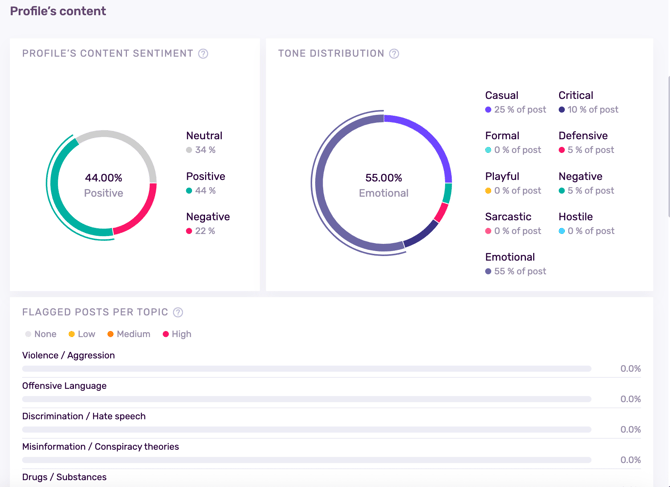
B) Content Analysis (Influencer text)
Insights based on what the influencer writes in captions/descriptions:
- Detected topics
- Flagged posts
- Risk level (often shown as Low / Medium / High)
- “Why it was flagged” explanations in percentages
C) Comment Sentiment (Audience reaction)
Insights based on comments:
- Overall sentiment breakdown
- A timeline view showing how sentiment shifts over time
- A history summary you can use to spot trends
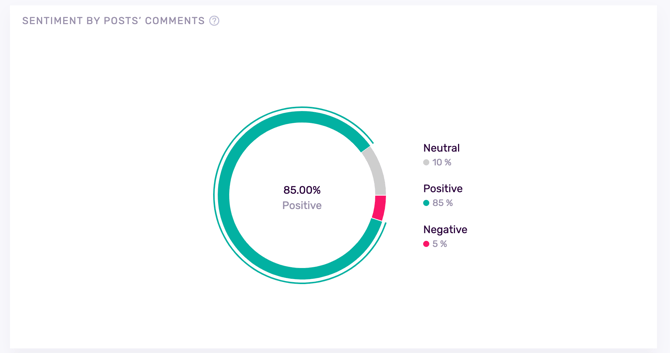
Important: Content analysis (captions) and comment analysis are separate. A creator may post neutral content but have negative comments or vice versa.
How the “Time” Graph Works (Quick Explanation)
Your sentiment chart groups comment sentiment over time based on the posts included in the analysis.
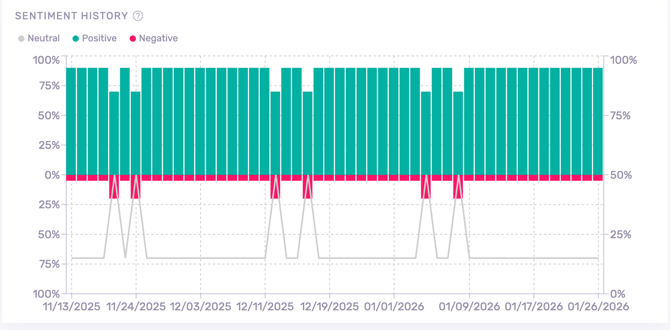
Because we analyze the most recent posts, the history shown depends on how often the influencer publishes:
- A creator who posts daily may show only a few weeks/months
- A creator who posts occasionally may show a longer timeline
Note: If you see fewer months than expected, it doesn’t mean data is missing, it means the influencer’s latest post sample is concentrated in a shorter time period.
What Brand Safety Means by Platform
Brand Safety analyzes different amounts of content per platform. This changes what your results represent and how you should interpret them.
What’s analyzed
- Up to 50 most recent posts (includes both standard posts and Reels)
- Up to 100 most recent comments per post
- If a post has fewer than 100 comments, we analyze what’s available
- If a post has fewer than 100 comments, we analyze what’s available
How to interpret Instagram results
- Best for understanding:
- Recent creator tone + topics
- Audience sentiment patterns (especially for lifestyle and product content)
- Recent creator tone + topics
- Watch-outs:
- If the creator posts heavily in a short period, your sample may reflect only a narrow time window
- If the creator has low comment volume, sentiment is still useful, but based on fewer comments.
- If the creator posts heavily in a short period, your sample may reflect only a narrow time window
TikTok
What’s analyzed
- Up to 100 most recent posts
- Up to 500 most recent comments per post
- If a post has fewer than 500 comments, we analyze what’s available
- If a post has fewer than 500 comments, we analyze what’s available
How to interpret TikTok results
- Best for understanding:
- Rapid changes in audience sentiment (TikTok trends move fast)
- Potential controversy spikes (comment sections shift quickly)
- Rapid changes in audience sentiment (TikTok trends move fast)
- Watch-outs:
- Viral posts can skew the sentiment trend (a single moment can dominate results)
- If the creator posted many times in a short window, “history” may compress into fewer days/weeks
- Viral posts can skew the sentiment trend (a single moment can dominate results)
YouTube
What’s analyzed
- Up to 100 most recent videos/posts
- Up to 500 most recent comments per video
- If a video has fewer than 500 comments, we analyze what’s available
- If a video has fewer than 500 comments, we analyze what’s available
How to interpret YouTube results
- Best for understanding:
- Longer-term reputation signals (YouTube audiences comment differently than short-form platforms)
- Deeper community reactions (comments tend to be more opinionated and detailed)
- Longer-term reputation signals (YouTube audiences comment differently than short-form platforms)
- Watch-outs:
- Comment sentiment may reflect long discussion threads (not just quick reactions)
- Some channels have highly polarized communities, use sentiment trends alongside topic flags
- Comment sentiment may reflect long discussion threads (not just quick reactions)
Best Practices: How to Use Brand Safety in Real Campaign Work
- Use it before outreach to avoid wasting time on misaligned creators
- Combine Brand Safety with Insights to evaluate both fit and performance
- Refresh Brand Safety before major campaign moments (launches, sensitive topics, PR-heavy periods)
- For long-term ambassadors, track changes in sentiment over time to spot reputation shifts early
Frequently Asked Questions
Does Brand Safety analyze everything an influencer ever posted?
No. Brand Safety analyzes the most recent posts per platform (see platform limits above).
Are pinned posts included?
Pinned posts are included only if they fall within the most recent posts by publish date.
Can I run Brand Safety from Discover?
No, Brand Safety is run only after adding a profile to the platform. It cannot be analyzed directly from Discover.
Does Instagram include Reels and posts?
Both. The system pulls content by date, regardless of feed/reels placement.