![LogoInfluencity_Negative.png]](https://knowledge.influencity.com/hs-fs/hubfs/LogoInfluencity_Negative.png?height=40&name=LogoInfluencity_Negative.png)
Managing influencer content approvals without a platform or a very strict step-by-step process usually feels like too much if you are running multiple campaigns with lots of influencers. You have draft videos sitting in WhatsApp, caption text scattered across email threads, and publication dates getting lost in messy spreadsheets. For brands, agencies, and e-commerce operators running campaigns at scale, this fragmented communication is a logistical nightmare.
That’s why we decided it was time to put an end to the madness.
Our new Content Validation feature acts as a well-oiled machine, centralizing your entire approval process. From the moment an influencer is on board in your campaign to the second the post goes live, everything happens within a single, unified workflow. No more chasing creators for drafts. No more lost feedback.
Here is your playbook on how to set it up and keep your campaigns moving.
Step 1: Setting the Rules of Engagement
The first step takes place when you are building the brief of your campaign. In the tab of deliverables you’ll need to use the toggle of content validation to make sure your creators are aware that content validation is required within the process.
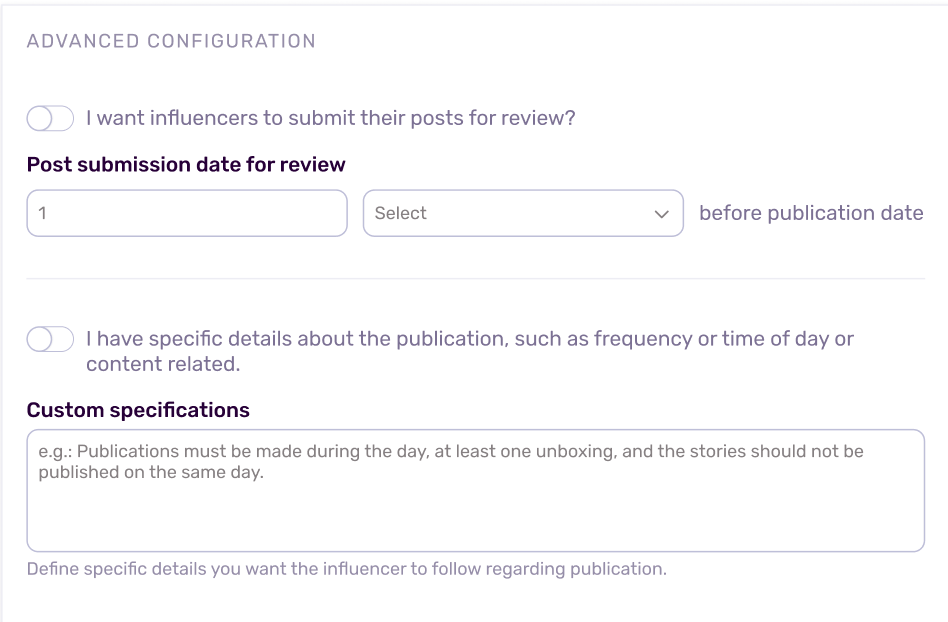
- Navigate to the Campaign Builder and click on the Deliverables tab.
- Scroll down to Advanced Configuration.
- Toggle the option that says: I want influencers to submit their posts for review.
- Set your buffer timeline. You will be prompted to select how many days before the publication date the creator needs to submit their content.
- You also have a text box to add any further customized specifications you consider necessary.
Once activated, this rule is baked directly into the creator’s agreement. When they log into their dedicated campaign link, they will see a calendar of exactly what is due and when.
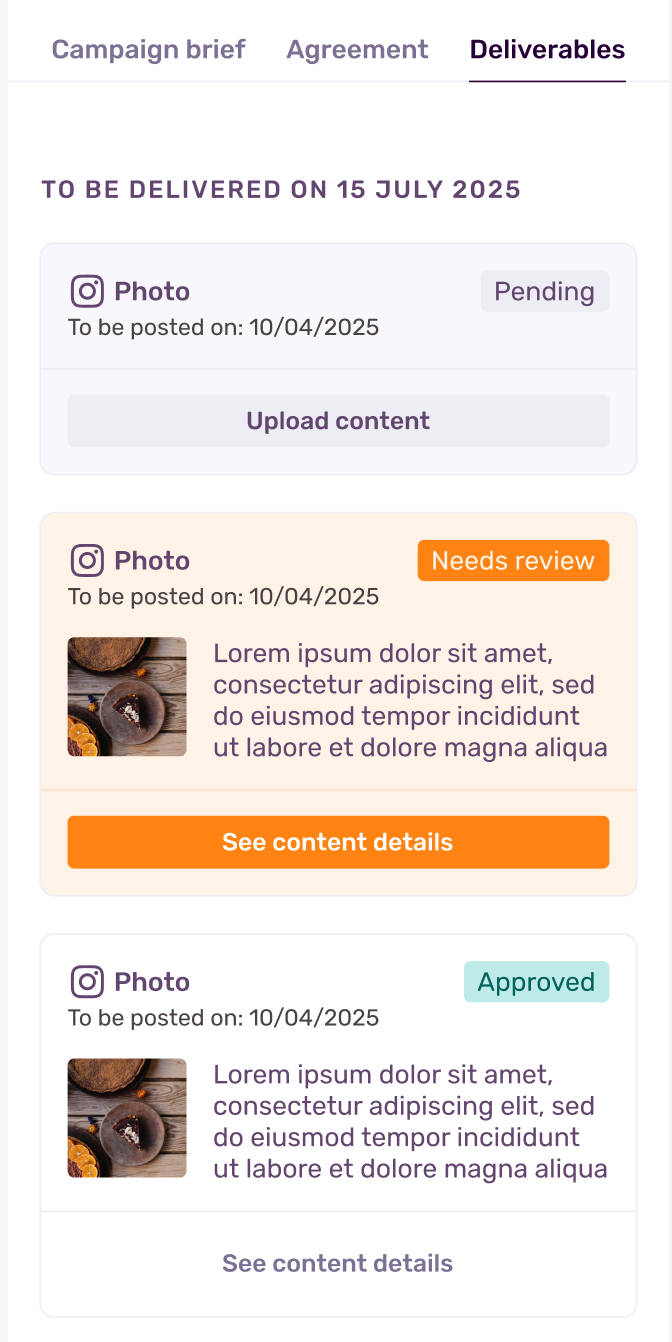
Now you’ll see a new tab within your campaigns, before you had brief and agreement, now you’ll also have the deliverable tabs showing all the content that has been agreed upon, with due dates and status.
Pro-tip: If you are running a fast-paced campaign and trust the creator implicitly, you can leave this box unchecked. In that scenario, all contracted content will automatically fast-track to the "Approved" stage without requiring manual sign-off.
Step 2: Navigating the Content Funnel
Once your creators accept the agreement, head over to the Content tab within your campaign. We have transformed this section into a visual funnel so you can track the heartbeat of your campaign at a glance.
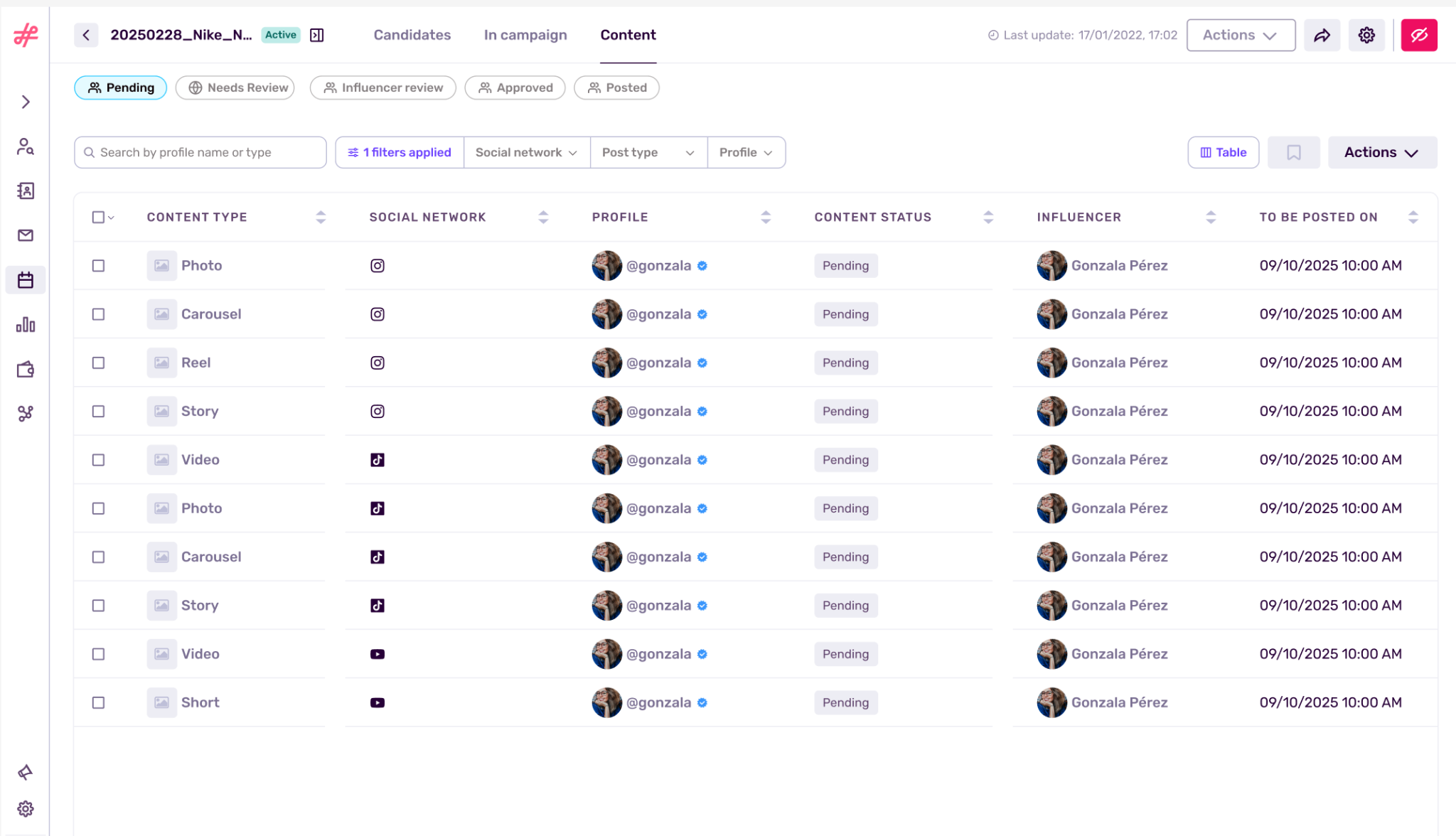
Here is how the stages break down:
Pending Status
The starting line. As soon as the contract is signed, every agreed-upon deliverable (e.g., an Instagram Reel, a TikTok video, a YouTube Short) populates here with its target publication date.
Note: If you add influencers directly from your IRM and handle the negotiations outside the platform’s campaign workflow, these influencers usage rights won’t be visible within the post details because their contract is not included in the workflow.
Needs Review
The ball is in your court. The creator has uploaded their draft image or thumbnail, along with their caption. To save you from squinting at a wall of text, our system automatically extracts and highlights all hashtags and mentions for crystal-clear readability. When you get an email notification that a deliverable is pending revision you’ll see all the pieces that need to be revised.
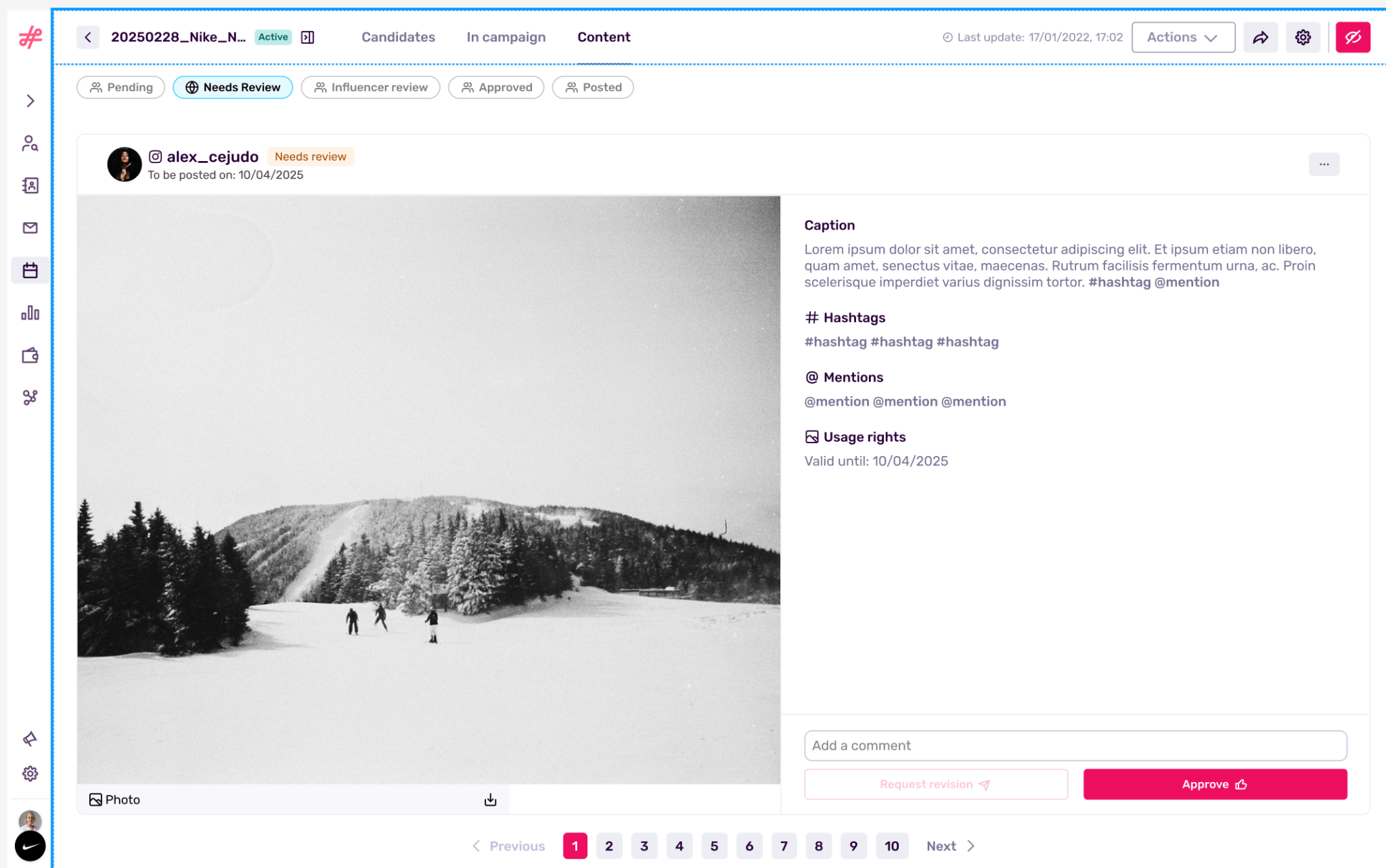
Once you open the post to review you could either leave suggestions and feedback for the influencer to adjust (they’ll get quickly notified once you submitted it) or you can approve it and the content will change status to “approved.”
Influencer Review
The editing room. If you requested changes, the content sits here while the creator adjusts the material. Once they have made the changes, you’ll get notified again so you can come back to see if it’s all OK.
Note: Keep in mind that the needs review and influencer review stages can present some back and forth if you and the influencer need some rounds till you are both happy with the final content. This is normal.
Approved: The green light. You have given the thumbs up, and the creator is cleared to publish the content on their social channels on the agreed date.
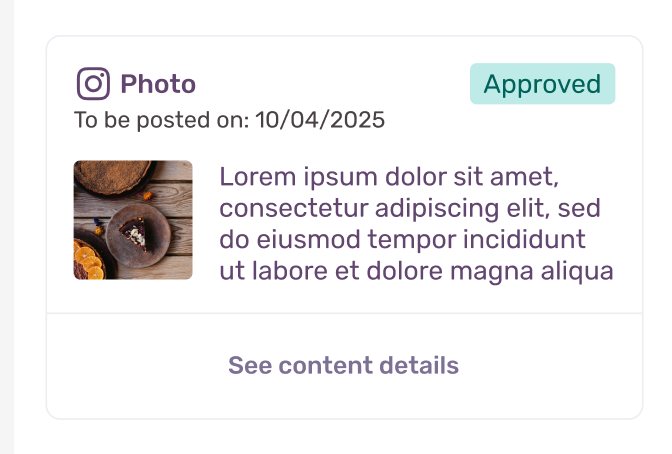
You’ll see that the status on the post within the deliverables content tab changes to approved and on the content table it will be moved to the approved list.
Posted
The finish line. Once the creator publishes the content, our automatic tracking catches it and logs it here.
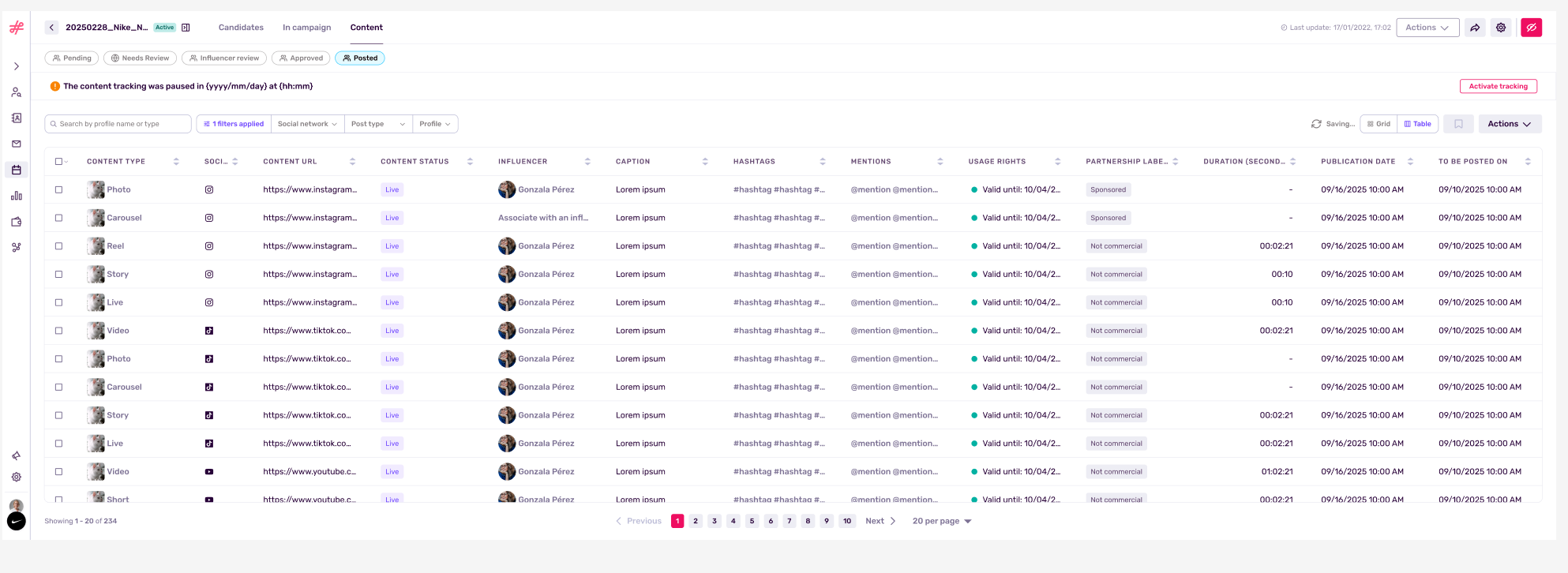
Note: The tracking system operates alongside the approval flow, automatically pulling in live content based on the creator's activity.
Step 3: Executing the Review Process
When a creator uploads content, it lands in your Needs Review bucket. Clicking on the submission opens up a straightforward decision dashboard.
You have two choices:
- Approve: If the content hits the mark, click approve. The status updates immediately, and the creator knows they are cleared for launch.
- Request Revision: If the lighting is off or the caption missed a key talking point, select this option. You will be required to leave a specific comment explaining what needs fixing. Once submitted, the system automatically fires off an email alert to the creator, moving the content to the Influencer Review stage. They can then upload a new version right over the old one.
A Quick Note on YouTube Integrations
Video files can be heavy, and uploading full-length YouTube content directly into a dashboard is rarely practical. We built a specific bypass for this.
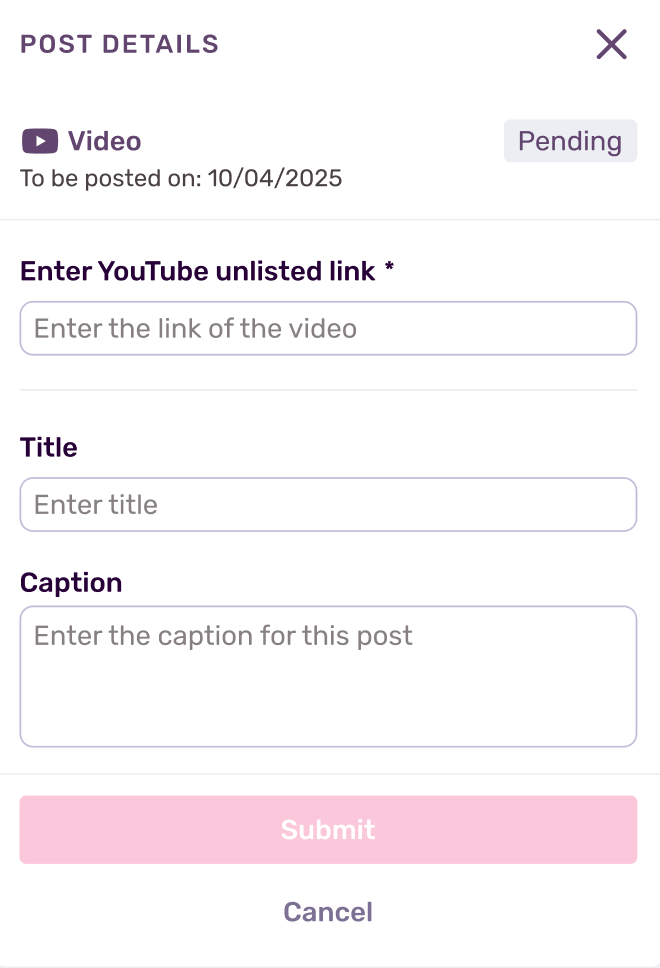
When reviewing YouTube deliverables, the creator will simply submit an Unlisted YouTube Link alongside their proposed title and caption. You can watch the full video natively, approve it, and keep the workflow entirely uninterrupted.
Agencies and brands lose countless hours trying to match what was promised with what was delivered. By bringing the brief, the agreement, the calendar, and the actual content review into one centralized hub, you eliminate friction. You protect your brand safety, empower your creators with clear expectations, and ultimately, get your campaigns out the door faster.