![LogoInfluencity_Negative.png]](https://knowledge.influencity.com/hs-fs/hubfs/LogoInfluencity_Negative.png?height=40&name=LogoInfluencity_Negative.png)
When running influencer campaigns, knowing which post, creator, or link actually drove results is critical. Measuring performance should be clear, reliable, and actionable.
UTM tracking parameters convert standard web links into precise data collection tools. This guide explains what UTMs are, how to set them up within Influencity step by step, and how short links keep campaign URLs clean.
Tracking links are available on all plans that include IRM, and there is no limit to the number of links you can create.
What is a UTM and Why Does It Matter in Influencer Campaigns?
A UTM (Urchin Tracking Module) is a tag appended to the end of a destination URL.
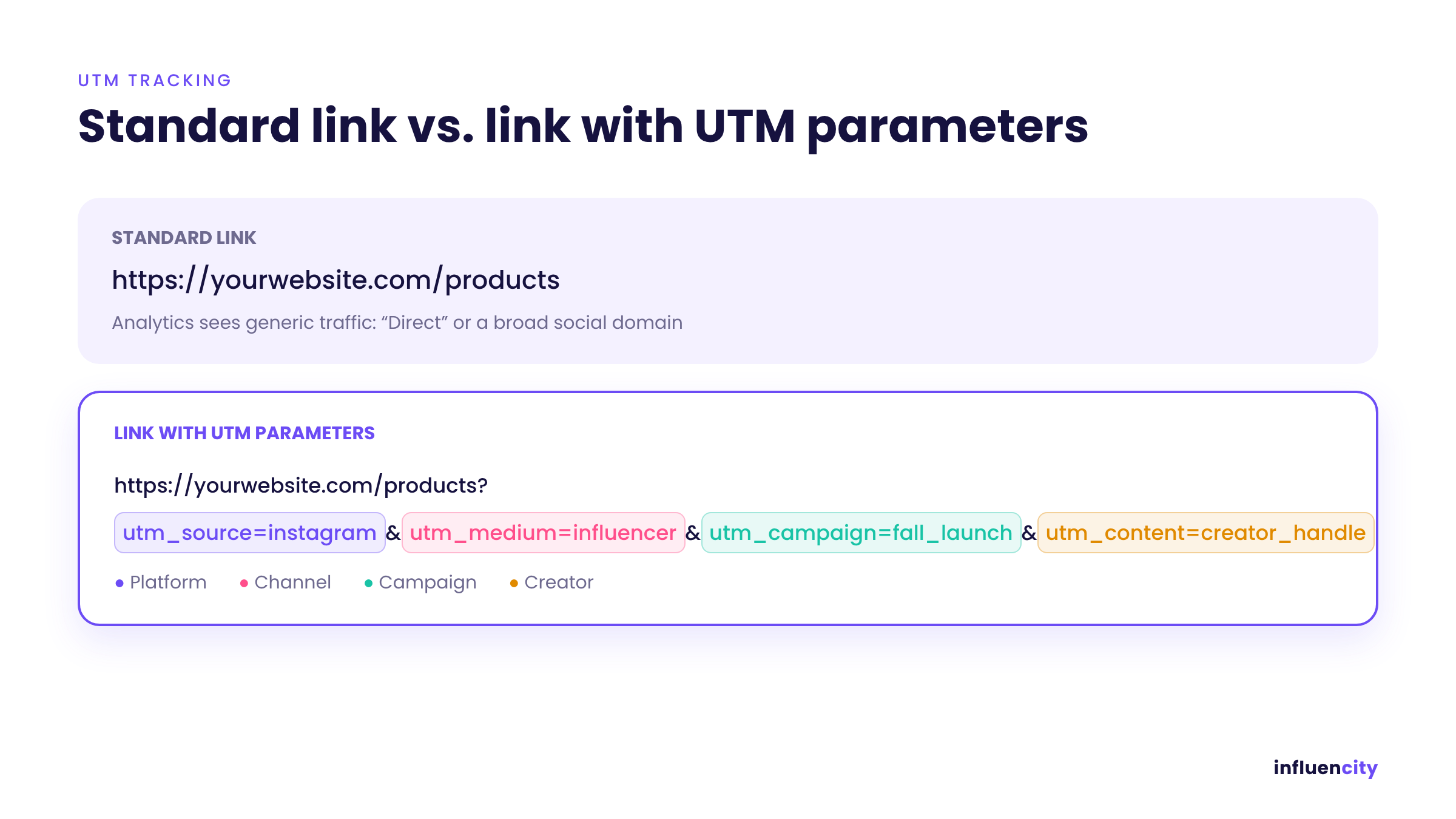
Without UTM parameters, web analytics platforms report incoming traffic under generic channels like “Direct” or broad social domains. Adding UTM parameters identifies the exact campaign, platform, and creator driving web traffic.
Standard Link vs. Link with UTM Parameters
Standard Link: https://yourwebsite.com/products
Link with UTM: https://yourwebsite.com/products?utm_source=instagram&utm_medium=influencer&utm_campaign=fall_launch&utm_content=creator_handle
Understanding UTM Parameters in Influencity
Influencity allows you to configure five standard UTM parameters. The first three parameters are required by Influencity; the last two are optional and add extra granularity to your analysis:
|
Parameter |
Type |
Purpose |
Example |
|
utm_source |
Required |
Identifies the platform or traffic source |
instagram, tiktok, youtube |
|
utm_medium |
Required |
Identifies the marketing channel[cite: 2, 3]. |
influencer, cpc, email |
|
utm_campaign |
Required |
Identifies the overall campaign or initiative[cite: 2, 3]. |
black_friday_2026, fall_launch |
|
utm_term |
Optional |
Identifies targeted audience sets or keywords. |
denim_jeans, story_set_1 |
|
utm_content |
Optional |
Identifies specific ad creatives, placements, or handles[cite: 2, 3]. |
@creator_handle, top_red_button |
Step-by-Step: Creating Tracking Links in Influencity
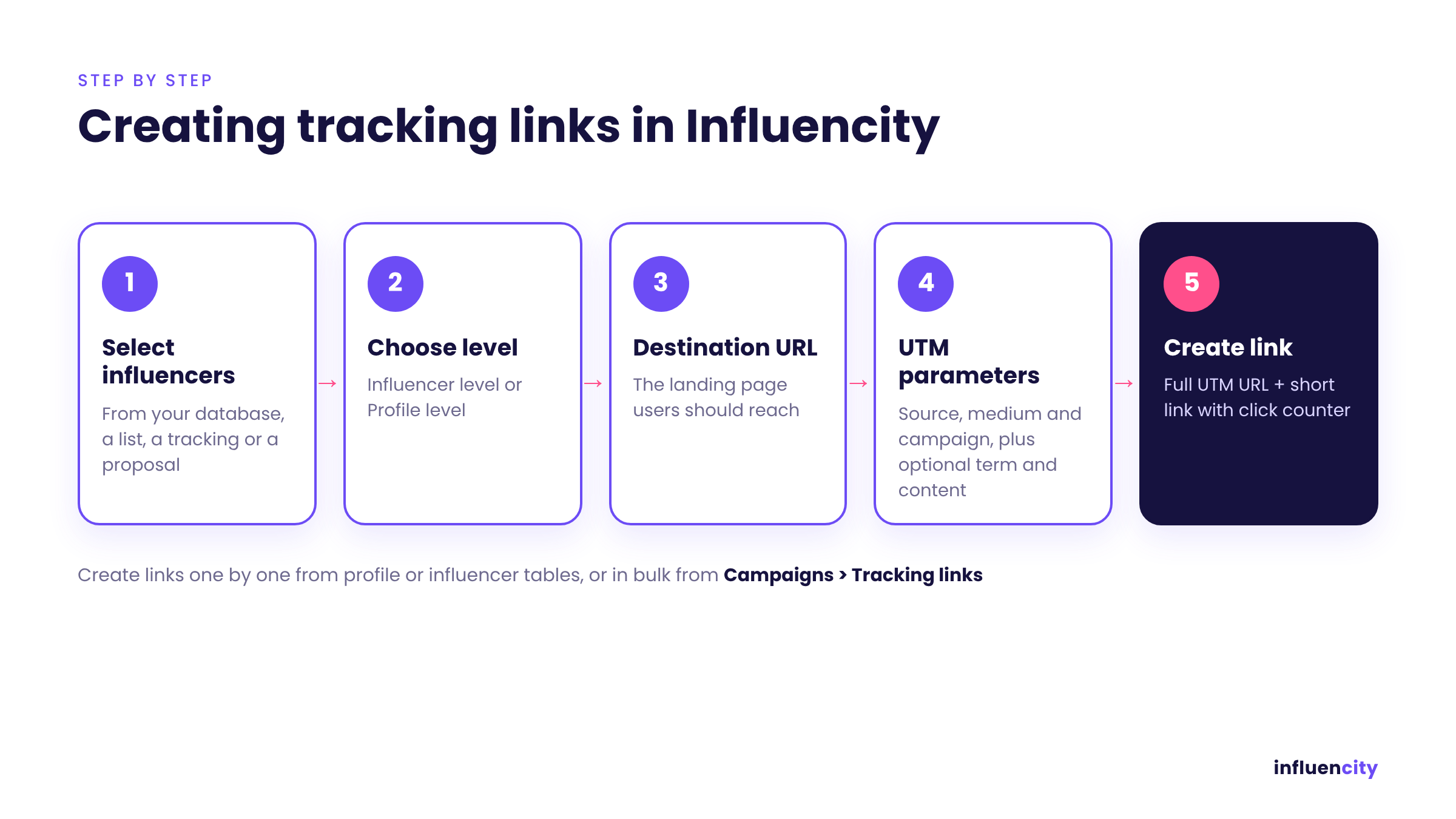
You can create tracking links in two ways:
- Individually, from the profile or influencer tables and tabs.
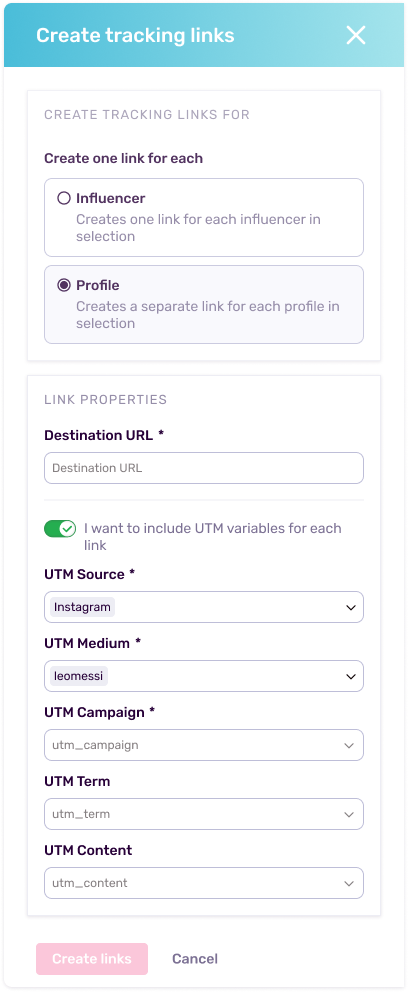
In bulk, from the same tables or from Campaigns > Tracking links, using the Create tracking link button (top right).
Step 1: Select Influencers or Profiles
Choose the influencers or profiles you want to create links for. You can pull them from different parts of the platform: your database, a list, a tracking, or a proposal.
Step 2: Select the Level (Profile vs. Influencer)
Choose the appropriate entity level:
- Influencer Level: Creates a unified tracking link across all networks managed by that influencer.
- Profile Level: Creates individual tracking links per specific social account, allowing you to isolate network performance (e.g., separating an influencer’s Instagram Stories from their YouTube Integration).
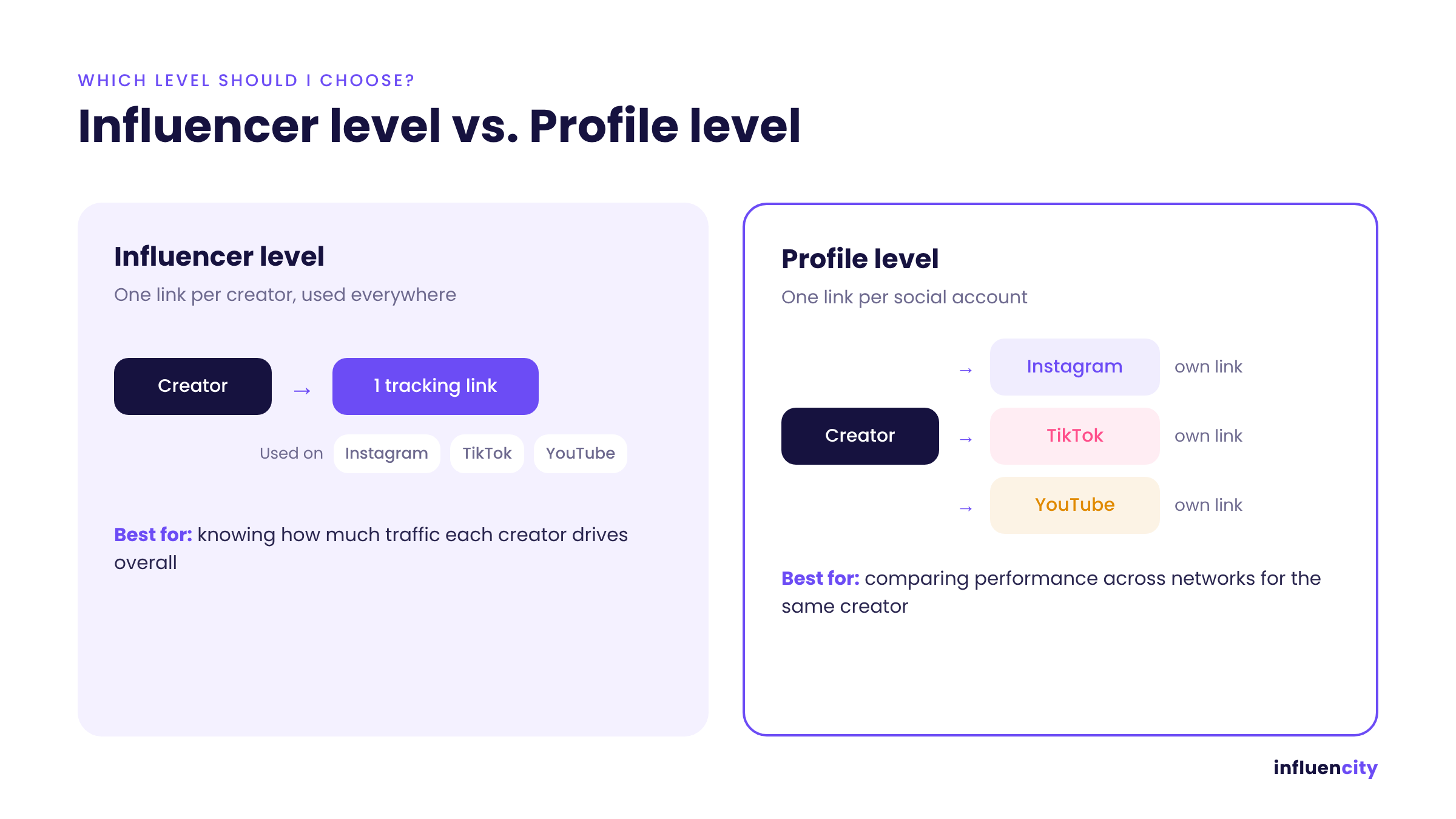
Which level should I choose?
- Choose Influencer level when you only need to know how much traffic each creator drives overall. The creator uses one link everywhere.
- Choose Profile level when you want to compare performance across networks, for example, how the same creator’s Instagram Stories perform against their TikTok posts. Each social account gets its own link.
Step 3: Input the Destination URL
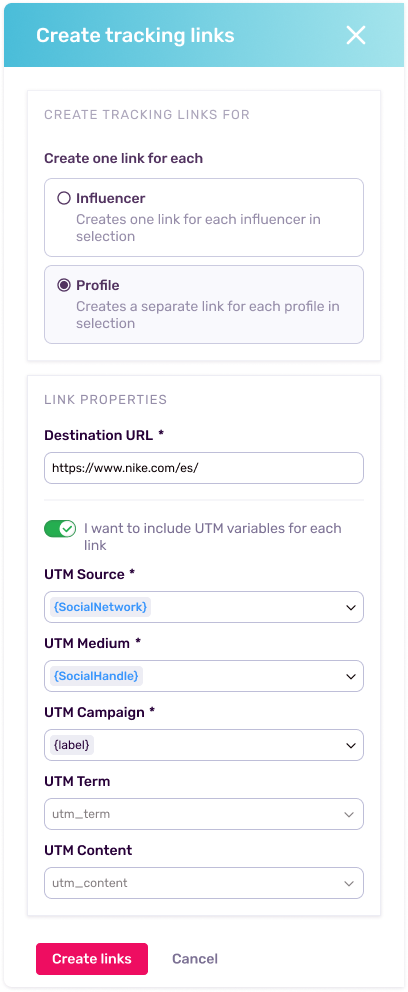
Enter the final landing page URL on your website where users should land (e.g., https://yourwebsite.com/products).
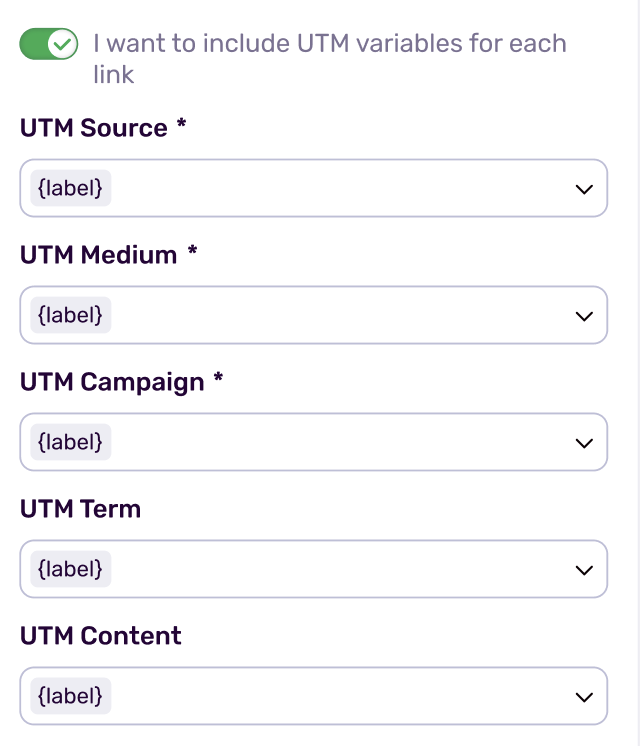
Step 4: Configure UTM Variables
Assign your tracking parameters:
- Input your utm_source, utm_medium, and utm_campaign.
- Populate utm_content or utm_term if you need creator-specific or placement-specific granularity.
Use the toggle to insert dynamic variables, such as the social network or the creator’s username. Influencity automatically replaces them with each profile’s real values, so one setup works for every link you create in bulk.
Step 5: Generate and Copy Your Links
Click Create link. Influencity generates two versions for each influencer or profile: the full destination URL with all UTM parameters, and a short link domain. You’ll also see a total click counter for each short link.
.png?width=670&height=377&name=04-share-the-short-link%20(1).png)
Where to Find Your Tracking Links
- Campaigns > Tracking links: all links created, with their total clicks.
- Influencer profile in the CRM > Tracking links tab: the links for that specific influencer, both influencer-level and per-network.
Important Rules for Link Distribution
Always Share the Short Link: Provide creators with the generated short link. Influencity tracks click metrics at the short link redirect layer.
Short Link Domains are Fixed: The short link domain is a standardized platform domain and cannot be modified per entity or influencer.
What UTMs Unlock for Your Campaigns
- Compare Creator Impact: Measure click traffic per creator or platform to identify top performers.
- Optimize Budgeting: Allocate marketing spend toward channels and profiles that generate measurable traffic.
- Centralize Control: Filter and organize your links directly in Influencity, and export them for internal control reports. You don’t need to export anything for Google Analytics: UTM data reaches GA4 automatically through each session.