![LogoInfluencity_Negative.png]](https://knowledge.influencity.com/hs-fs/hubfs/LogoInfluencity_Negative.png?height=40&name=LogoInfluencity_Negative.png)
Casting Call makes it easy to attract and manage influencer applicants for any campaign. You can invite creators directly from within Influencity or share a public link across your channels to gather applicants organically.
This guide walks you through both methods so you can choose the workflow that fits your recruitment strategy.
Before You Begin
Make sure your Casting Call is already created and in Active status. Only active Casting Calls can receive applications.
If you need help creating one, check out our article How to Create a Casting Call
1. Invite Influencers Directly from the Platform
This method is ideal when you already know which creators you want to contact, for example, influencers stored in your IRM, saved lists, proposals, or past campaigns.
Step-by-Step: How to Invite Influencers
- Open the campaign and go to Casting Call → Candidates.
- Click Invite in the upper right corner.
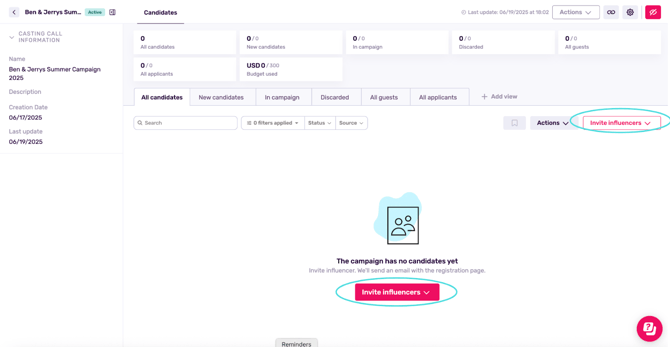
- Choose where you'd like to source your creators from:
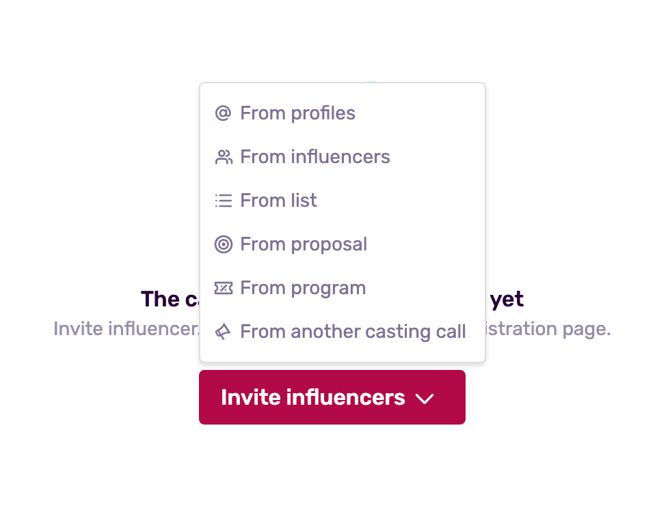
- IRM (Your Influencer Database)
- Lists
- Proposals
- Campaigns
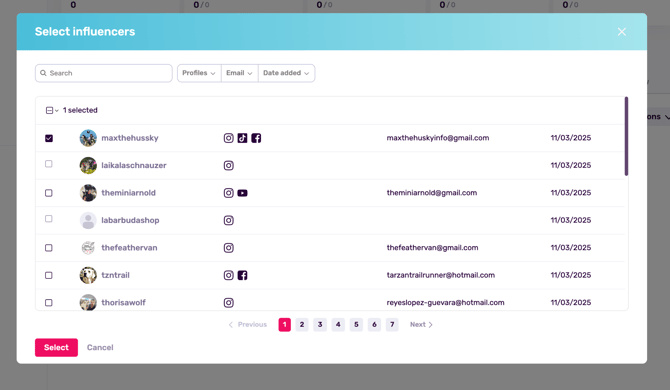
- Select the creators you want to invite.
What Happens Next?
- Each invited creator receives a private email invitation with a unique link to your Casting Call.
- In your dashboard, they will appear with the status Invited until they complete their application form.
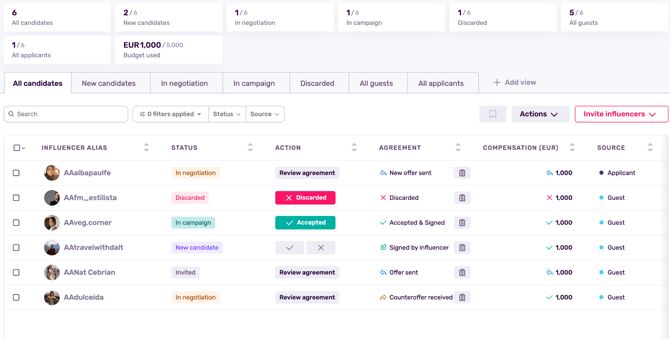
- Once they submit the form and meet your requirements, their status changes to New Candidate and you can approve or discard them.
Note: Even invited influencers must complete the application form to be considered for the campaign.
2. Share Your Casting Call Link (Open Applications)
Want to attract new creators, reach niche communities, or allow talent managers/agencies to submit influencers? Use your public Casting Call URL.
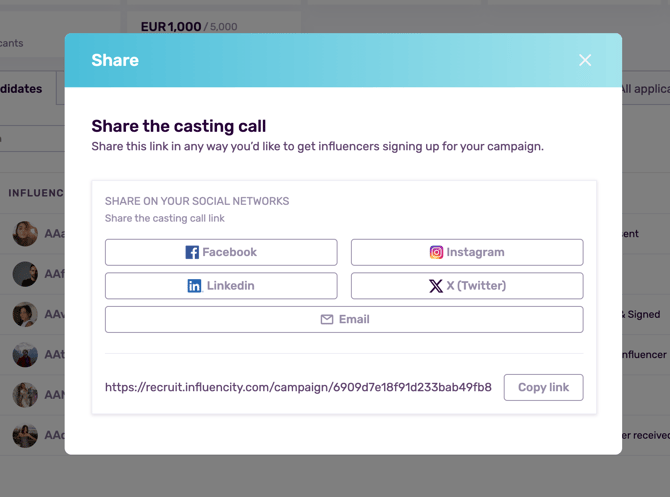
Where to Find Your Link
- Open your Casting Call.
- Click in the sharing arrow

- You can either:
- Copy your unique public URL
- Share the link directly into your socials
Where You Can Share It
- Instagram Stories or bio
- TikTok bio
- X (Twitter)
- YouTube video descriptions
- Newsletters
- Creator communities
- Talent agents
- WhatsApp or Slack groups
- Your website or brand newsroom
Anyone with the link can apply, but only creators who meet your predefined filters (e.g., location, follower count, engagement rate) will appear in your dashboard.
3. Understanding Candidate Statuses
Here’s what you’ll see as influencers move through your Casting Call:
|
Status |
What It Means |
|---|---|
|
New Candidate |
Influencer submitted the form and meets your campaign’s requirements. |
|
In Campaign |
You accepted the creator; they’re added to your IRM and campaign. |
|
Discarded |
Not selected; removed from the candidate flow. |
Note: You can accept or discard candidates individually or in bulk for faster workflows.
4. Tips for Maximizing Applications
- Share your link widely. More visibility = more applicants.
- Post it on your brand’s social channels to attract creators who already follow you.
- Send it to talent managers when you're sourcing creators at scale.
- Invite your top picks directly within the platform to ensure they don’t miss your open call.
- Use filters wisely so only relevant creators appear in your dashboard.
5. Summary
You can bring influencers into your Casting Call in two ways:
-
Invite creators directly from your IRM, lists, proposals, or campaigns
Perfect for curated recruitment and handpicked lineups.
-
Share your Casting Call link anywhere you want
Ideal for discovery, volume, and attracting new creators organically.
Both methods funnel all qualified applicants into the same streamlined dashboard—so you never lose track of talent, no matter where it comes from.