![LogoInfluencity_Negative.png]](https://knowledge.influencity.com/hs-fs/hubfs/LogoInfluencity_Negative.png?height=40&name=LogoInfluencity_Negative.png)
The project description is the preliminary information you enter when you create a campaign. These fields are mandatory because this tool is a way to inform all brand users about the goals of your project and how you’ll go about meeting them. In addition, the budget information you enter will later be used when estimating your project results.
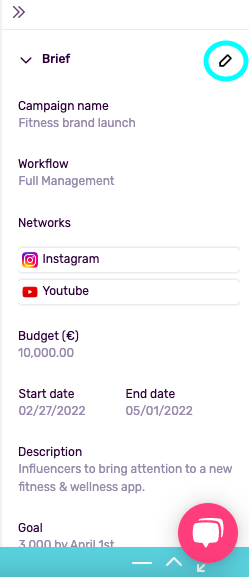
The project description contains information about:
- The social networks used.
- Your budget.
- The start and end dates.
- Your campaign goals.
- Your target audience (their location, gender, age, and interests).
If you decide to change the focus of your project, you can update it quickly and easily.
How Do I Edit a Project Description?
- Open a project.
- From this page, click on the arrows on the right to expand the description section.
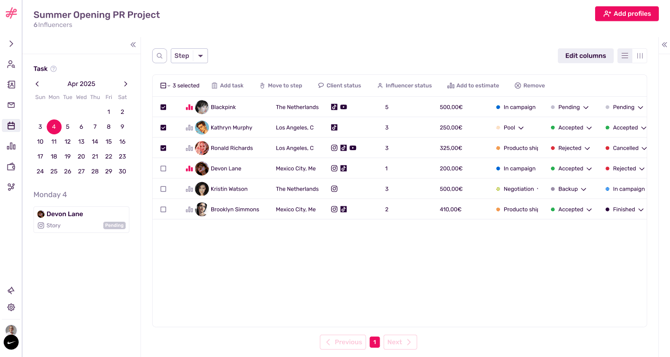
- Here you’ll see an overview of your project info. Edit this section by clicking the pencil icon.
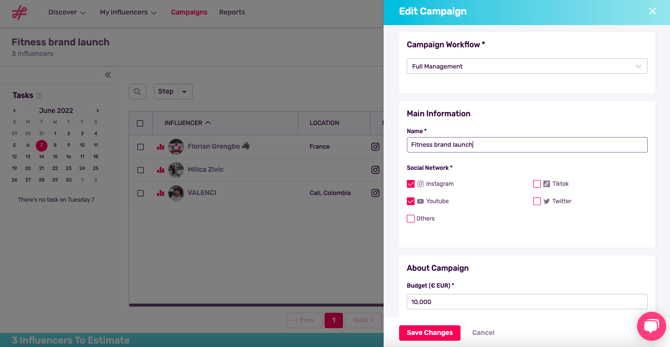
- All the information in your project description can be edited except for the type of workflow. Add new social media networks, update your budget, change your time frame, and even re-specify your goals and target audience in this section. To finish, click Save Changes.
Note: Projects can be updated and reused, however, you will not be able to save your estimated results.