![LogoInfluencity_Negative.png]](https://knowledge.influencity.com/hs-fs/hubfs/LogoInfluencity_Negative.png?height=40&name=LogoInfluencity_Negative.png)
Influencity’s latest Content Metrics introduces a more standardized, centralized, and comprehensive approach to campaign and content reporting across the platform.
Until now, some metrics and content insights were only accessible within specific workflows or features. The same standardized data can now be accessed consistently across multiple areas of the platform, including:
- Content Library
- Campaigns
- Creator Profiles
- Reporting dashboards
This means teams no longer need to cross-reference metrics between modules or interpret slightly different datasets depending on where they are working.
The result is a cleaner reporting experience, better campaign consistency, and significantly improved collaboration between strategy, reporting, and account management teams.
This article explains the different types of content metrics available across Influencity and how they are categorized for Instagram, Tiktok and Youtube.
The 4 Types of Content Metrics in Influencity
Influencity’s content metrics are organized into four main categories:
- Automated Metrics
- Manual Metrics
- Calculated Metrics
- Content Metadata & Enrichment Metrics
Each category serves a different purpose within campaign analysis and reporting.
1. Automated Metrics
These metrics are automatically updated whenever the platform provides access to fresh data.
They represent the foundational engagement and visibility data used across campaign reporting.
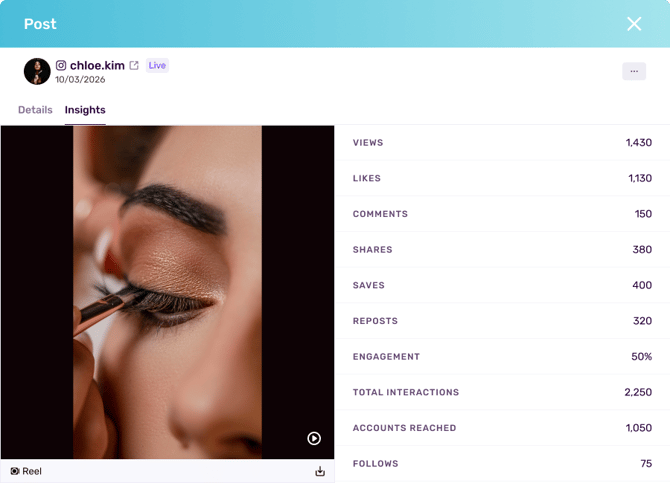
Depending on the platform and content type, automated metrics may include:
- Views
- Likes
- Comments
- Shares
- Saves
- Reposts
- Dislikes
Note: Standardized automated metrics can now be accessed from your content Library, campaign Content Views and influencer Profiles.
This standardization ensures the same piece of content displays the same performance values regardless of where it is viewed inside the platform.
Before this update, teams sometimes encountered reporting inconsistencies caused by:
- Different refresh timings
- Platform-specific naming conventions
- Feature-level metric limitations
- Duplicate reporting workflows
With standardized automated metrics:
- Reporting becomes more reliable
- Campaign analysis becomes faster
- Cross-team collaboration improves
- Data interpretation becomes more consistent
2. Manual Metrics
Manual metrics are metrics entered directly by users or creators when platform APIs do not provide access to specific data or data is private.
These metrics are especially useful for:
- Instagram Stories
- Temporary content
- Offline activations
- Platform-restricted insights
- Custom campaign KPIs
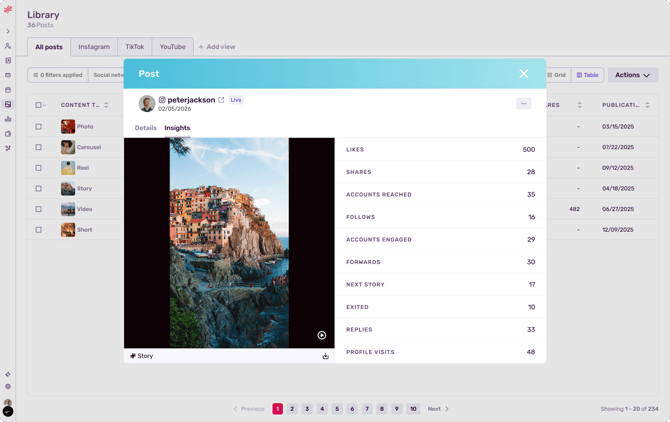
Manual metrics allow teams to maintain complete campaign visibility even when social platforms limit automatic access. Depending on the platform and content type, manual metrics may include:
- Accounts reached
- Follows
- Impressions
- AvG. Watch Time
- Watch time
- Returning Viewers
- Accounts Engaged
- External Link Taps
- Forward
- Next Story
- Exited
- Replies
- Profile Visits
Best Practices for Manual Metrics
To improve reporting accuracy:
- Request creator screenshots whenever possible
- Use consistent naming conventions
- Align campaign KPIs before launch
- Standardize manual reporting templates across teams
3. Calculated Metrics
Calculated metrics are derived metrics generated automatically by Influencity using existing campaign and content data.
These metrics help teams move beyond raw numbers and evaluate campaign efficiency, content quality, and business impact.
Calculated metrics are especially valuable for:
- Performance benchmarking
- Campaign optimization
- Executive reporting
- ROI analysis
- Cross-platform comparisons
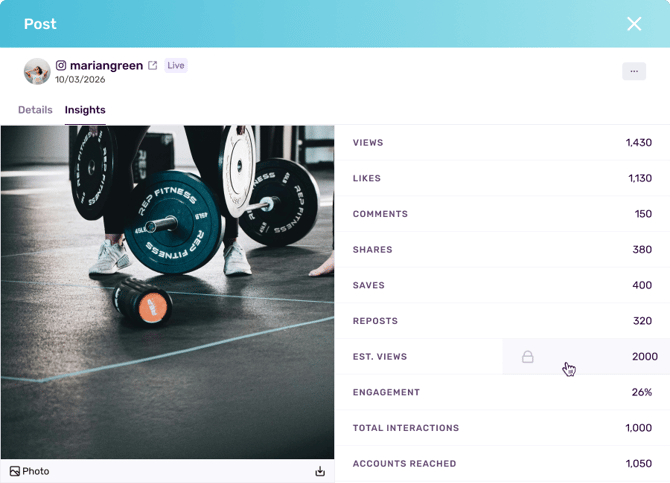
Depending on the platform and content type, calculated metrics may include:
- Estimated Views
- Engagement Rate
- Interactions
Raw engagement numbers rarely provide enough context on their own. For example:
- 50,000 views may be excellent for one creator and underperforming for another
- High engagement may not translate into conversions
- Large reach may come from low-quality audiences
Calculated metrics help teams evaluate:
- Efficiency
- Profitability
- Creator quality
- Campaign effectiveness
- Relative performance
Standardization Across the Platform
One of the most important improvements in this update is that calculated metrics are now standardized across Influencity.
This means:
- Engagement rates are calculated consistently everywhere
- Campaign exports align with profile analytics
- Teams can compare creators and campaigns more reliably
This eliminates discrepancies caused by isolated feature calculations.
4. Content Metadata & Enrichment Metrics
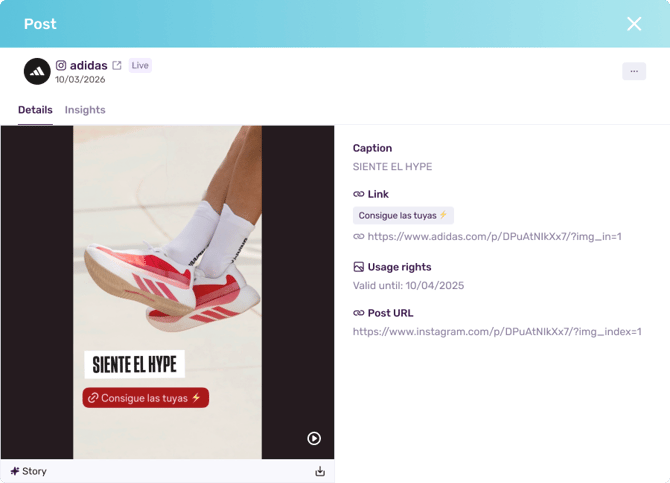
Content metadata and enrichment metrics provide contextual information about the content itself. These insights go beyond performance metrics and help teams better understand content format,creative structure, brand integrations, platform features used and rights and licensing information.
This category is especially useful for:
- Content audits
- Creative analysis
- Compliance workflows
- Content repurposing
- Brand safety reviews
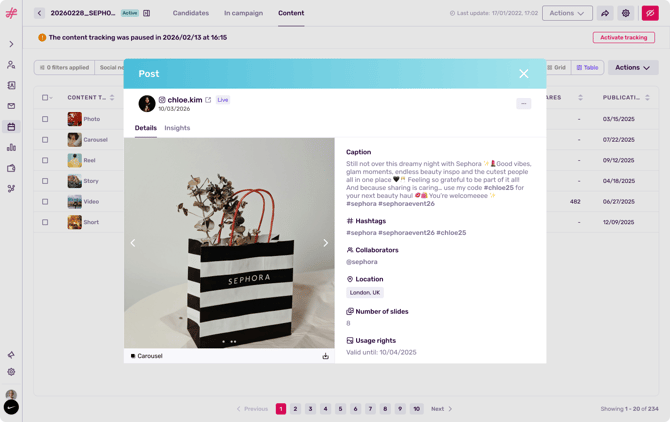
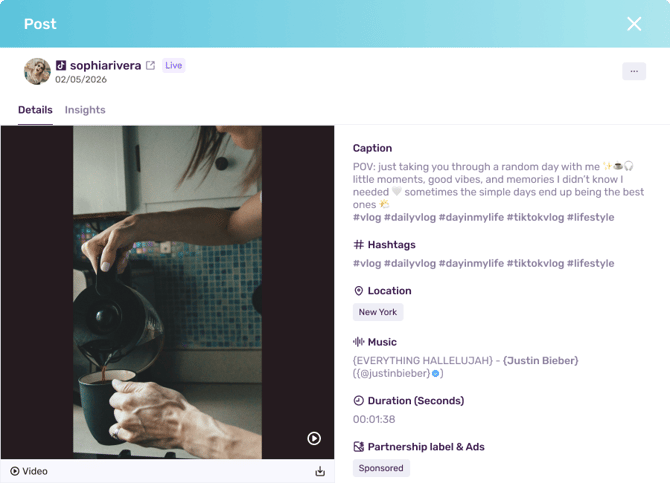
Content metrics you can find included are:
- Caption
- Hashtags
- Mentions
- Title
- Keywords
- Contributors (Co-authors)
- Tags (@)
- Location (Geotag)
- Music/Audio Name (Licensed)
- Transcription (Audio-to-text)
- Text to speech
- Sticker: Link
- Sticker: Quiz
- Sticker: Poll
- Sticker: Question
- Sticker: Add Yours (Your turn)
- Sticker: Countdown
- Sticker: Donation / Support
- Sticker: Slider Number of Slides
- Duration (Seconds)
- Subtitles
- Social Network Store Link
- Web Link
- Partnership label & Ads
Important: Any licensing data or rights will only show up if you have negotiated the terms of your collabs within Influencity’s Campaigns.
Modern influencer campaigns are no longer evaluated exclusively through engagement metrics. Brands increasingly need visibility into:
- Which creative formats perform best
- Which platform features improve engagement
- Whether content can legally be reused in paid media
- Which creators consistently use high-performing creative structures
Content metadata enables deeper strategic analysis beyond surface-level reporting.
With this update, content enrichment data is now more consistently and allows teams to:
- Filter content more efficiently
- Compare formats more accurately
- Identify high-performing creative patterns faster
- Reuse approved content more effectively
Unified Metrics Across Influencity
One of the core objectives of this update was to create a more unified data experience across the platform.
Previously, some metrics could appear differently depending on where users accessed the content.
Benefits of the Unified System
Better Reporting Consistency: Teams can now trust that the same content displays the same metrics everywhere.
Faster Campaign Analysis: Users no longer need to switch between multiple workflows to validate content performance.
Improved Team Collaboration: Strategy, reporting, influencer management, and account teams can now work from a shared data structure.
Stronger Benchmarking: Standardized metrics improve campaign comparisons across creators, industries, and platforms.
More Scalable Reporting: Unified metrics make automated reporting and exports significantly more reliable.