![LogoInfluencity_Negative.png]](https://knowledge.influencity.com/hs-fs/hubfs/LogoInfluencity_Negative.png?height=40&name=LogoInfluencity_Negative.png)
Once you’ve created a project and set your goals in your project description, the next step is to add influencers.
How Do I Add Influencers to a Projects?
Open a new project and click Add profile.
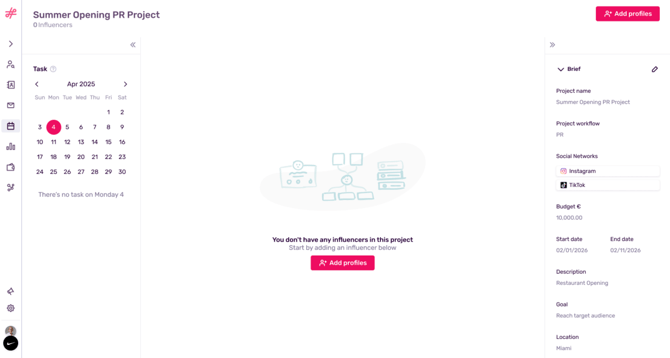
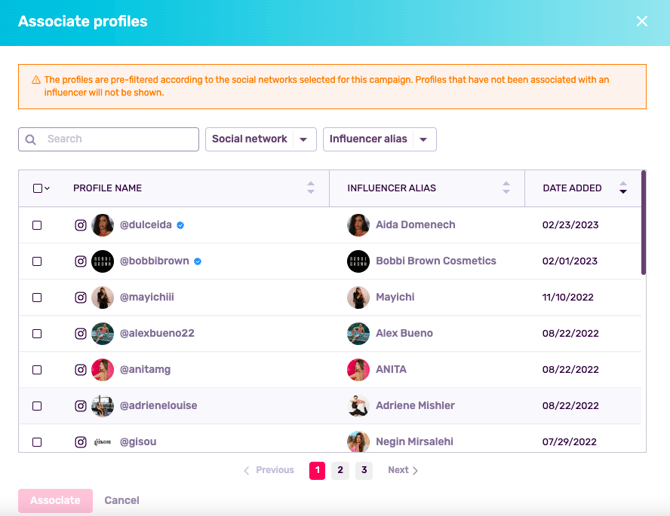
A pop-up window will appear will a list of profiles from your IRM. Please note that only profiles that meet these 2 criteria will appear:
- Profiles that match the social networks defined in your project description. For example, if I define in my description that the project will be for Instagram and TikTok, YouTube profiles will not appear as an option. (learn how to update this information here).
- Profiles that have been associated with an influencer in your IRM (learn how to associate profiles with influencers here).
Select your profiles and click Associate.
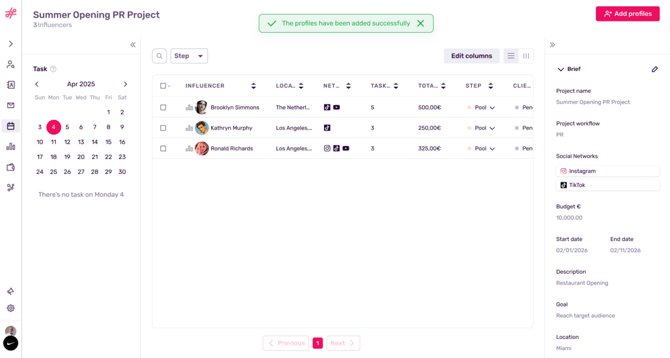
These profiles will now be associated with this project.
How Do I Delete Influencers from a Project?
This can be done as a mass action by ticking profiles and clicking Remove.
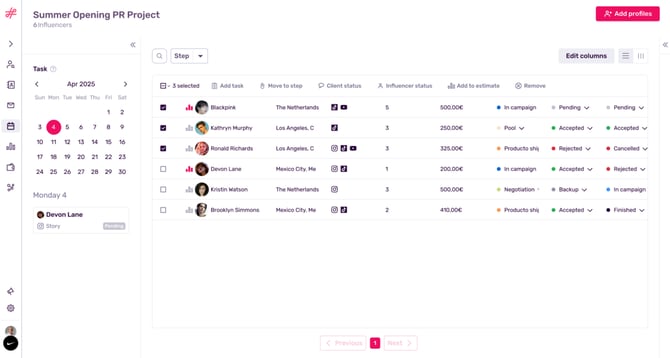
Or by selecting influencers one by one and clicking Actions and Remove.
What’s Next?
Learn how to add tasks to influencers and Estimate their reach and total cost.